



What Industries Benefit Most from Outdoor Interactive Touch Screen Kiosks?
Transportation, food service, retail, hospitality, and public services benefit most from an outdoor touch kiosk. These sectors serve people outside staffed hours, handle repeat transactions such as tickets, orders, and payments, and must show information in rain, glare, and heat. Transit hubs and parking operators gain 24/7 payment and route help. Restaurants and retailers shorten lines at drive-thrus and entrances. Hotels, city agencies, clinics, and campuses use the same hardware for check-in, registration, and wayfinding. Below, I explain how each industry applies the technology, which features matter, and how to choose a supplier.
What Is an Outdoor Interactive Touch Screen Kiosk?
Core Components of an Outdoor Self-Service Terminal
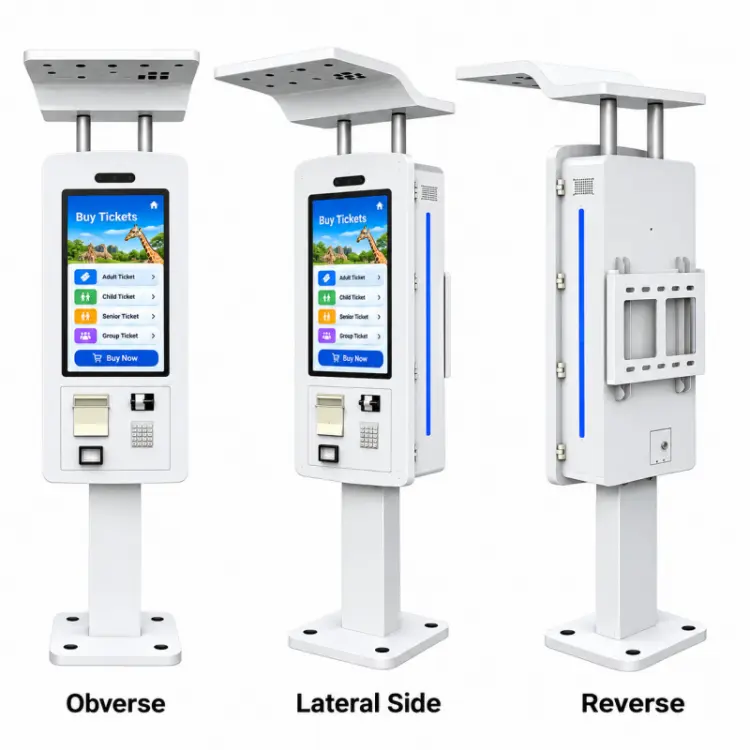
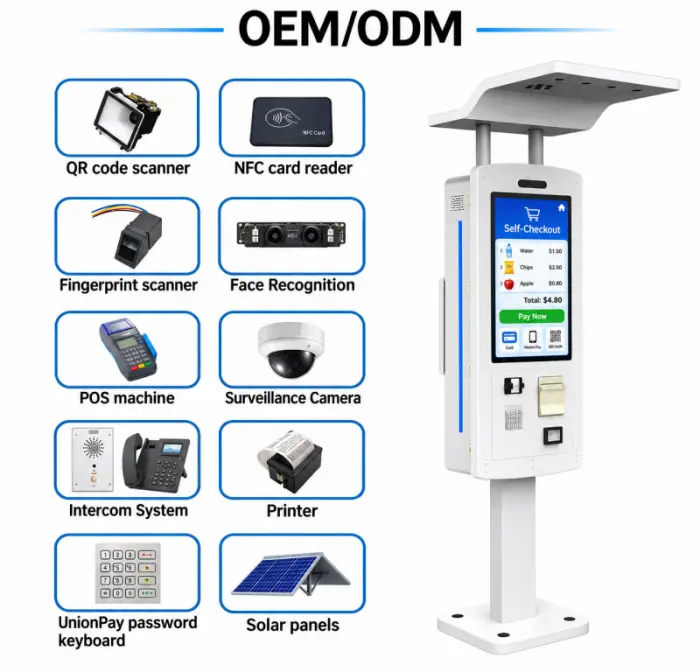
The phrase "outdoor interactive touch screen kiosk" refers to a self-service terminal that is designed for locations that are open-air or almost open-air. The device incorporates a display with a high level of brightness, a touchscreen, an industrial computer, an operating system, a network connection, a weather-resistant housing, and optional peripherals like as card readers, scanners, printers, and cameras. A weatherproof information terminal, an outdoor ordering kiosk, or an outdoor self-service kiosk are all names that buyers use to refer to this kind of kiosk. Despite the fact that the nomenclature varies according to the work, the construction philosophy remains the same: each component must be able to withstand the sun, water, dust, and public usage all at the same time.
How Data Moves Between User, Software, and Hardware
By tapping the screen, a visitor may make a request, which is then processed by the software that runs the kiosk. After that, the program communicates with many corporate systems, including a menu database, a ticketing platform, a parking system, and a guest register, among others. On the other hand, the work is completed by peripherals, such as a thermal printer producing a receipt, a payment terminal accepting a card, and a scanner reading a code. The result is shown on the screen, and the system records the occurrence of the event. When it comes to designing a good interface, it is important to adhere to ISO 9241-210, which is the standard for human-centered design of interactive systems. This standard requires pre-launch testing with actual users.
Interactive Kiosks vs. One-Way Digital Signage
While a kiosk is responsible for completing activities, digital signage displays information. A message is displayed on a billboard or menu board, and viewers are unable to reply to the message. Users have the ability to search a directory, make an order, pay a charge, or record a visit via the use of a kiosk. For situations in which you just need to tell a large number of people at once, such as promotions along a highway, I advocate using signs. In situations when each individual needs a personalised response or a completed transaction, I suggest using a kiosk. Both are used in a number of projects: a huge sign is used to attract attention, and a kiosk sits next to it to execute the transaction.
Which Industries Benefit Most from Outdoor Interactive Touch Screen Kiosks?
The value of an outdoor touch kiosk depends on each industry's workflow, so I compare four groups below.
Transportation, Parking, and EV Charging
Riders are served at all hours of the day and in all weather conditions by public transportation agencies, airports, parking operators, and charging networks. Ticket sales, the collection of parking fees, the display of route information, and the directing of drivers to charging services are all performed by an outdoor kiosk. Users who do not have cards can benefit from cash and coin acceptors, while QR scanners are able to support mobile tickets. Since these locations are frequently exposed to direct sunlight, the display brightness and enclosures that are sealed are more important than the screen size. In addition, operators value remote monitoring because it is time-consuming and expensive to travel to a remote lot in order to inspect a malfunctioning unit.
Quick-Service Restaurants and Retail
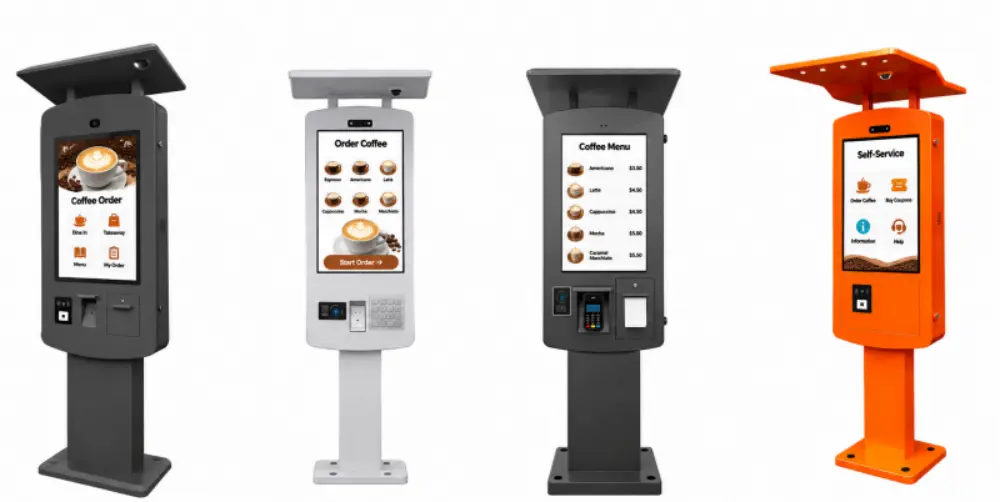
Kiosks are used to accept orders in restaurants that have drive-through lanes and outdoor ordering locations. This eliminates the need for additional counter workers. In order to facilitate checkout, product search, and order collection, retailers position them at the entrances, garden centers, and curbside pickup locations of their establishments. Drive-through restaurants, parking fees, and retail checkout are all acceptable applications for our TPO32SE. Having a range of payment options is important in this context; contactless cards, mobile QR codes, cash, and coins all allow more consumers to complete a transaction. In addition to printing receipts and order tickets, a thermal printer may also be used at the kitchen or pickup counter.
Hospitality and Tourism
Many establishments, including hotels, resorts, campgrounds, and attractions, welcome people at unusual hours. The process of checking in, issuing room cards, scanning passports, and calling staff members over an intercom may all be handled by an exterior kiosk. These features are compatible with the TPO32SE modules that are available as an option: room card dispenser, passport scanner, RFID card reader, camera, microphone, and intercom communication. In addition, tourist destinations make use of kiosks to sell tickets, maps, and guides in several languages. The presence of a branded LED light box on the cabinet makes it easier for visitors to locate the unit.
Government, Healthcare, Education, and Industrial Sites
As a means of facilitating service requests, payments, and navigation, governmental organisations and municipalities install kiosks in public spaces such as plazas, parks, and building entrances. Manufacturers and logistics yards use them for driver check-in and access control, while hospitals and universities use them for visitor registration and directories. Industrial facilities also use them for access control. In order to fulfill these purposes, RFID readers, password keyboards, and cameras are required. In addition, accessibility regulations are applicable: the ADA Standards of 2010 provide reach ranges for operable elements that are between 15 and 48 inches above the floor. This has an impact on the height of the screen and the card reader. Ensure that this is the case before you complete an enclosure.
What Features Make an Outdoor Touch Kiosk Suitable for Different Industries?
Weatherproofing, Enclosure, and Thermal Control
Begin with the barrier or enclosure. The IP code is defined by IEC 60529. IP65 indicates that the product is dust-tight and will be protected against water jets. It is important for customers in the United States to enquire about the test data that is behind either designation since NEMA 250 enclosure types have a distinct rating system. The TPO32SE is constructed out of powder-coated galvanised steel or aluminium alloy, both of which are important materials. Due to the fact that sunlight causes a black screen to be loaded with more heat, the other concern is heat. Over a temperature range of -20°C to +50°C, the TPO32SE uses an airflow cooling design and heating elements that activate below 0°C. It operates in a 7×24 configuration.
Sunlight-Readable Display and Touch Performance
A standard indoor display can appear washed out in direct sunlight. The TPO32SE outdoor interactive kiosk features a 32-inch IPS LCD with a 1920 × 1080 resolution and a brightness range of 2,000–3,000 nits. An ambient light sensor automatically adjusts brightness from approximately 500 nits at night to the maximum level in daylight. Optical bonding between the display panel and protective glass eliminates the air gap, helping reduce internal condensation and fogging. The unit uses protective glass specified with a Mohs hardness rating of 7, while capacitive multi-touch technology supports light taps and gestures. If users are expected to wear gloves, test touchscreen responsiveness on a sample before placing an order.
Payment Terminals and Peripherals on the TPO32SE
As well as accepting bank cards, credit cards, cash, coins, NFC tap-to-pay, QR or barcode scans, and other forms of payment, the TPO32SE is compatible with either Android or Windows. A thermal printer, camera, microphone, intercom, RFID reader, password keypad, cash acceptor, coin acceptor, room card dispenser, passport scanner, and LED light box are some of the modules that may be purchased separately. In order to account for the fact that cutouts, wiring, and heat routes vary from module to module, peripherals should be planned during the initial enclosure design. Check with your processor to ensure that the payment hardware meets the specifications set out by the PCI Security Standards Council. The unit provides a listing of certifications such as CE, RoHS, FCC, and ISO, and the FCC Part 15 standards address emissions for electronic devices that are marketed in the United States.
How to Select, Install, and Maintain an Outdoor Touch Kiosk
Outdoor vs. Indoor Kiosks: A Roof Is Not Enough
A kiosk that is located inside and is covered by a canopy does not make it suitable for use outside. Rain that is pushed by the wind, humidity, dust, fluctuations in temperature, and sunlight that is reflected still make their way to the unit. The enclosures of indoor versions often provide little in the way of impact or tamper protection, and they typically lack high brightness, sealed cable entrances, drainage, and temperatures that can be controlled. When it comes to outdoor versions, strengthened installation and covered cable pathways are also required. If a seller claims that their product is "weather-resistant," you should enquire as to whether this refers to a tested rating or just a coating, and then check the claim with the paperwork provided by the IP or NEMA.
Selecting the Right Kiosk and Supplier
The first step is to define the user flow, which includes determining who uses the kiosk, what activities they perform, how long each session lasts, and whether or not personnel provide supervision. After that, make a list of the brightness, screen size, touch type, IP protection, temperature range, power, connection, software, and peripherals. It is important to request that suppliers provide you with production data, specifications, test proof, prototypes, certificates, and warranty conditions. In addition to its own housing factory, Topview operates a 2,000-square-meter workshop that is equipped with three production lines, more than twenty engineers and assembly personnel, a research and development team consisting of ten individuals, and a daily output of up to one hundred units. Enquire about a price estimate that takes into account the hardware, software, installation, shipping, and servicing separately. Both the purchase of indoor hardware for outdoor settings and the disregard of the total cost of ownership are two of the most prevalent blunders that people make.
Installation, Maintenance, and Business Value
Examine the location before delivery. The sun's direction, the amount of rain that will fall, drainage, the stability of the ground, electricity, network coverage, lighting, and service clearance should all be checked. The anchors and cable pathways required for freestanding, wall-mounted, and pedestal units are distinct from one another. In addition to cleaning the glass, examining the seals, checking the cooling and heating, testing the peripherals, and upgrading the software, routine maintenance involves cleaning the glass. Remote monitoring helps reduce the number of unnecessary site visits for fleets that operate across many locations by tracking uptime, temperature, and problems. Service outside of staffed hours, a reduction in repetitive counter labour, and information on peak periods and completion rates are the benefits of this arrangement. Custom logos (silk screen or LED backlit), colours, power-on logos, and software are all supported by Topview, and there is no minimum order quantity required for customisation.
Conclusion: Matching the Kiosk to the Industry, Environment, and User Flow
An outdoor touch kiosk is suitable for transportation, food service, retail, hospitality, and public-service locations where self-service access is needed outside staffed hours. Selecting the right unit depends on climate, installation location, user traffic, and required peripherals rather than screen size alone. Key technical considerations include a verified IP or NEMA rating, a high-brightness display with reliable touch response, thermal management for hot and freezing conditions, and payment or scanning modules integrated into the enclosure design from the outset. Accessibility requirements, such as ADA reach ranges, applicable payment standards, and differences between indoor and outdoor operating conditions, also influence equipment specifications. Proper site planning, routine maintenance, and an itemized quotation help establish a procurement specification suited to the intended application.
FAQ
1. What is an outdoor interactive touch screen kiosk?
It is a self-service terminal in a weather-resistant enclosure, with a high-brightness display, touchscreen, computer, and optional peripherals.
2. What does IP65 mean?
IP65 means dust-tight and protected against water jets under IEC 60529. It does not cover immersion.
3. Can I read the TPO32SE in direct sunlight?
It offers 2,000–3,000 nits, optical bonding, and an ambient light sensor. Results still vary with viewing angle and site, so test a sample.
4. What temperatures can it handle?
The TPO32SE operates from -20°C to +50°C, using cooling and heating elements.
Discuss Your Outdoor Touch Kiosk Project with Topview
Topview, a Shenzhen factory with more than 13 years of experience in LCD displays, welcomes OEM and ODM projects, including custom logos, colors, and software, with no MOQ for customization. Send your industry, site conditions, screen size, quantity, and payment needs to market@tviewdisplay.com, and our engineers will recommend a configuration. If you need an outdoor touch kiosk manufacturer or a long-term supplier, ask about samples and project pricing.
References
1. IEC 60529: Degrees of Protection Provided by Enclosures (IP Code), 2013
2. U.S. Department of Justice, 2010 ADA Standards for Accessible Design, 2010
3. NEMA 250: Enclosures for Electrical Equipment (1000 Volts Maximum), 2020
4. PCI Security Standards Council, Payment Card Industry Data Security Standard (PCI DSS) v4.0, 2022
5. Code of Federal Regulations, Title 47, Part 15: Radio Frequency Devices, 2023
6. ISO 9241-210: Ergonomics of Human-System Interaction, Human-Centred Design for Interactive Systems, 2019
YOU MAY LIKE
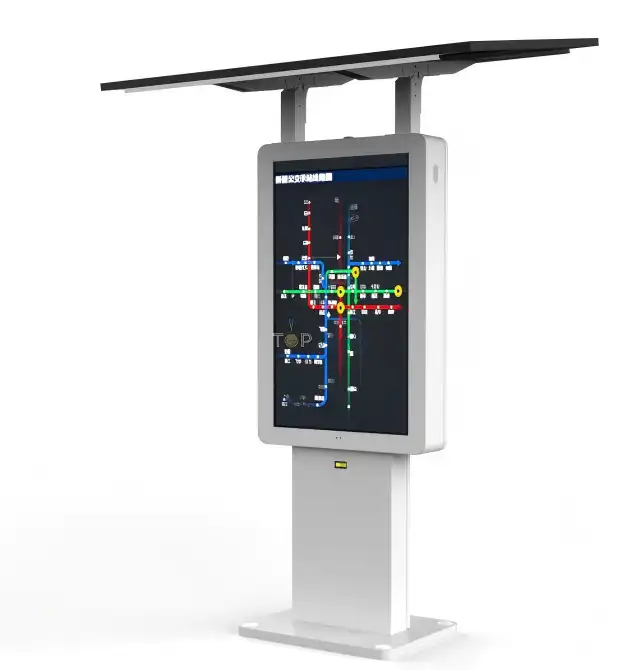 VIEW MORESolar Powered Outdoor Digital Signage
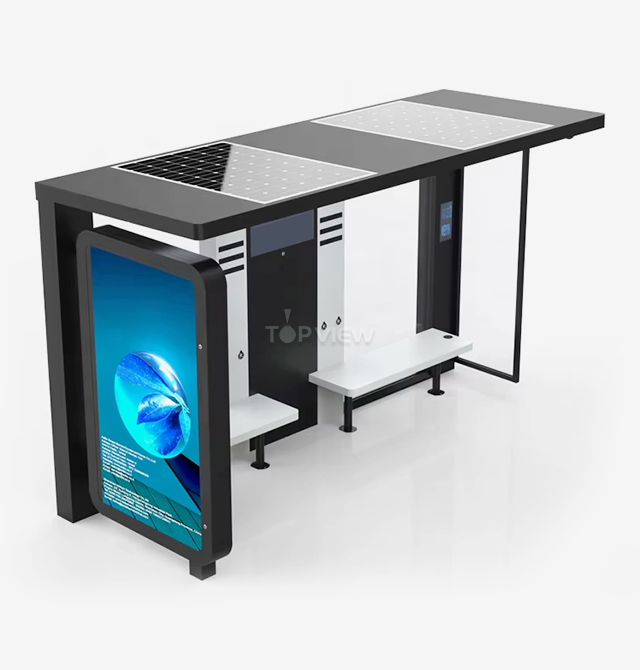 VIEW MOREFree Design Good Quality Solar Bus Shelter
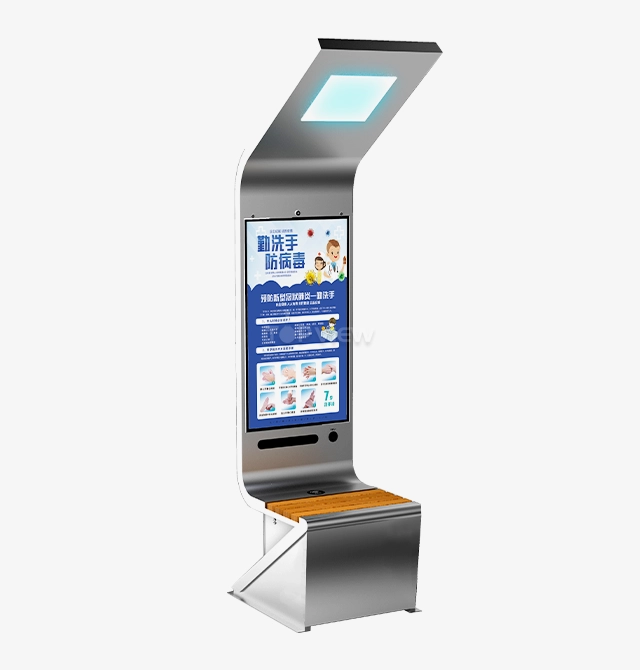 VIEW MORESingle Seat solar bench
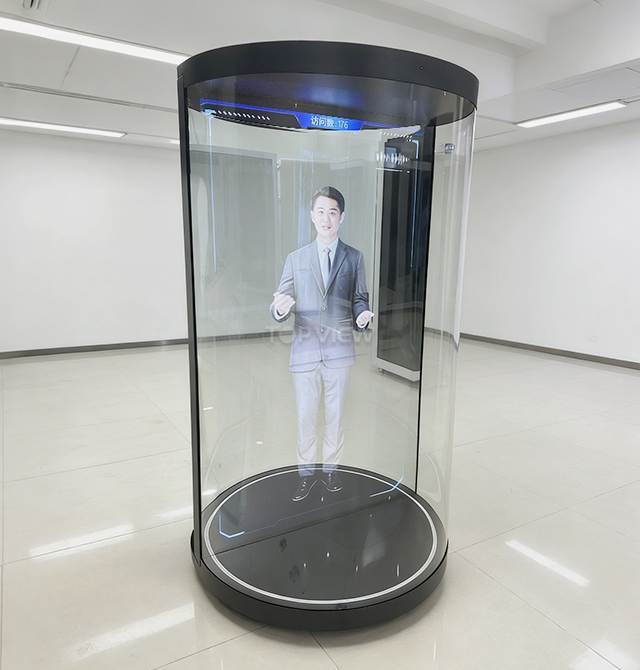 VIEW MORE3D Holotube Display
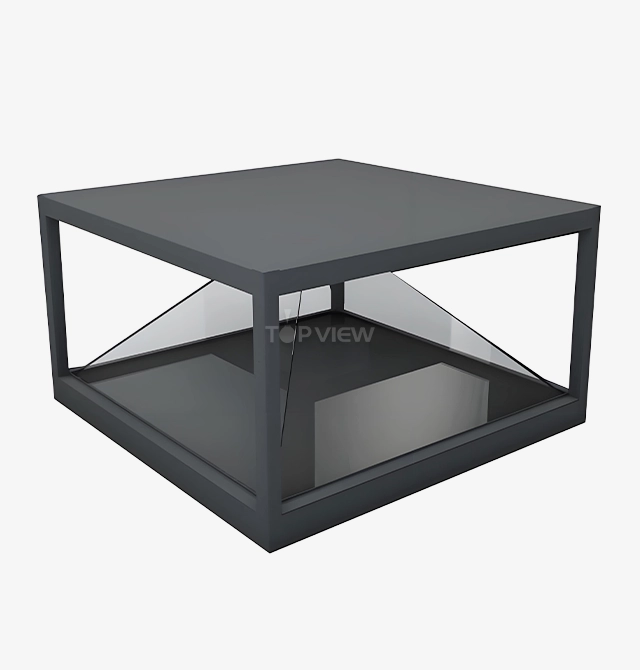 VIEW MORE360-degree Full HD 3D holographic display
 VIEW MOREH-Style Floor Stand Totem Digital Kiosk
 VIEW MOREE-Paper Outdoor Bus Stop LCD Display Kiosk
 VIEW MOREUlta Slim Wall-Mounted Outdoor Displays