



How does an all-in-one capacitive touch coffee table enable multi-scenario interaction?
An all-in-one capacitive touch coffee table revolutionizes workspace and customer engagement by integrating advanced touchscreen technology into a versatile furniture form. The Smart Touch Table leverages 10-point multi-touch capacitive sensing—the same technology powering modern smartphones—to enable seamless, simultaneous interactions from multiple users. Its adaptability spans corporate meeting rooms, retail showrooms, educational institutions, and hospitality venues, transforming passive surfaces into dynamic collaboration and engagement hubs that respond instantly to touch, gesture, and content manipulation (Digital Signage Today, 2022).
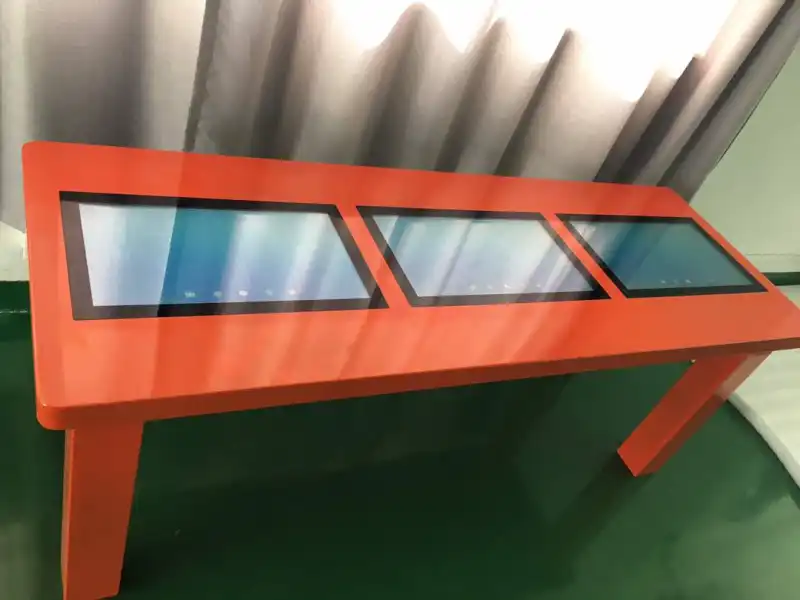
Understanding the Technology Behind All-in-One Capacitive Touch Coffee Tables
Core Capacitive Touch Technology Explained
When conductive items, like fingers, hit the screen, capacitive touch systems pick up on the changes in electricity. Capacitive technology is more sensitive and quicker than resistive technology, which needs actual pressure to work. Professional-level models like the T77TB allow simultaneous 10-point touch, which lets multiple users zoom, rotate, or annotate material at the same time without any lag or errors (TouchScreen Technology Review, 2021).
The technology uses a clear conductive layer under tempered glass to measure changes in the electrostatic field all the time. This design makes sure that precise touch recognition is possible even through protective coatings, so it can work properly in commercial settings with a lot of foot traffic.
Durable Construction for Demanding Environments
The standard of construction of commercial interactive tables is very different from that of individual electronics. The T77TB has 4-6 mm tempered glass that is rated at Mohs level 7 and can't be scratched by coins, keys, or normal wear and tear. The waterproof outer layer makes upkeep easier because coffee or drink spills can be cleaned up without damaging the inside, which is important for restaurant and retail settings.
Cold-rolled steel or an aluminum alloy used in industrial-grade chassis construction makes it last for years of use. Load-bearing joints hold up to 50 kg of static weight per leg assembly, which keeps them from wobbling during intense interactions. This sturdiness makes things last longer and lowers the total cost of ownership by cutting down on fixes and replacements.
Software Flexibility and System Integration
The choice of operating system has a huge effect on the flexibility of deployment. The T77TB comes with both Android and Windows versions, so it can meet the software needs of a wide range of businesses. Windows compatibility is good for business settings that use specialized business apps, while Android offers cheap ways to show content and do basic interactive tasks.
Built-in connectivity, such as Wi-Fi, Bluetooth, and multiple USB ports, makes it easy to link to current systems. Connecting to the cloud makes it easy to handle material remotely from multiple places. This is great for retail chains or corporate offices that are spread out and need to send messages at the same time. The OPS (Open Pluggable Specification) slot lets you add modules to your PC without having to run extra cables. This keeps the look clean and protects your technology investments for the future.
Multi-Scenario Applications and Benefits for B2B Environments
Before looking into specific use cases, it's helpful for buying teams to know how interactive touch tables solve real-world business problems. The following apps show measured returns through better involvement, more efficient operations, and unique customer experiences.
Corporate Collaboration and Meeting Enhancement
Traditional conference rooms can be turned into dynamic places to work together with interactive tables. Teams meet around high-resolution displays (Full HD or 4K) to directly change material that is shared. The design teams use simple zoom and rotation moves to look over prototypes, and the sales teams make notes on offers in real time while they are being shown to clients.
The usefulness of meetings can be extended beyond physical limits with the help of remote collaboration tools. Harvard Business Review (2023) says that shared touch screens and integrated video conferencing tools make it possible for teams in different places to work together on the same material at the same time. This is more effective than standard screen-sharing methods.
Retail and Hospitality Customer Engagement
Shopping malls and restaurants put interactive tables in play areas for kids as a way to keep them entertained and get them interested in their brands. Touch-enabled games keep people's attention while showing product information or advertising content in a subtle way. In hotel hallways, tables are set up as self-service concierge stations. These let guests use fun interfaces to learn about local sites, book services, or look at meals.
Tactile interaction is very helpful in places where products are being shown. In car displays, potential buyers can customize cars by touching the table surface to change colors, add features, and add extras. Jewelry stores put up high-resolution brochures of their products so that customers can zoom in on small details that they can't see on real samples. This makes customers more confident in their purchases while reducing the need to show as much inventory.
Educational and Training Applications
Touch tables like the Smart Touch Table are used for group learning in classrooms and libraries. Students work together to solve problems, change the shape of 3D models of historical artifacts, or look at interactive maps on shared screens. Differentiated instruction is made easier by the multitouch feature. Teachers can lead small groups through personalized content while keeping an eye on the whole class.
Immersive, hands-on learning is good for corporate training modules. Touch tables in medical facilities show anatomical models that students can virtually rotate and cut up. Companies that make things show workers how to operate equipment by using live schematics that let them trace the right way to put things together. This is better for remembering than passive video teaching.
Exhibition and Museum Interactive Experiences
Touch tables are used by museums as interactive experience zones where people can look at carefully chosen content at their own pace. Touch movements can be used to interact with historical timelines and get more information about individual events. High-resolution pictures are shown in art shows so that visitors can look closely at brushstroke details that are normally only visible under a microscope.
At trade shows, sellers get people to come to their booths by showing off interesting products. Potential buyers don't just look at ads; they can connect directly with product specs, price options, and technical documents. Lead capture works perfectly with CRM systems because interested visitors can submit their contact information through a tablet interface.
These different uses show why procurement managers in many different industries are asking for interactive touch tables more and more in building renovations and new buildings.
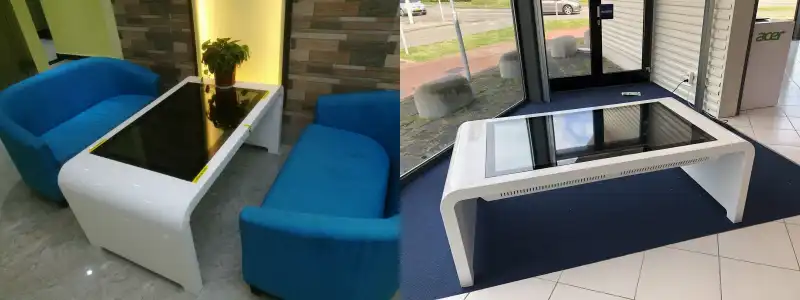
Comparing Smart Touch Coffee Tables to Traditional and Alternative Solutions
Limitations of Traditional Furniture in Modern Workflows
Standard conference tables are good for basic gatherings, but they don't have any tech features built in. Teams have to deal with different devices, projectors, and whiteboards, which break up their focus and slow down their ability to work together. Sharing documents requires sending them or passing around real devices, which slows down creativity and makes meetings last longer.
Traditional furniture also doesn't measure engagement. Businesses don't get to see which content customers like or how long visitors look at information—information that is needed to make retail layouts and marketing strategies more effective.
Advantages Over Interactive Whiteboards and Standalone Displays
Interactive whiteboards let you interact with them by touching them, but their vertical layout is better for presentations than for working together. Participants have to stand, which limits the length of the lesson and leaves out people who have trouble moving around. The horizontal touch table layout encourages participation from everyone, since everyone can access content while sitting comfortably.
People in a meeting who are given separate tablets break up the shared experience. Everyone sees the content on their own screen, which makes updating at the same time harder and lessens the unified teamwork that horizontal shared displays allow. Interactive screens focus everyone's attention on the same information, which makes it easier to communicate and make decisions.
Total Cost of Ownership and ROI Considerations
Procurement experts have to look at costs that go beyond the original purchase price. Multiple technologies—a display screen, a computer, a touch interface, and furniture—are all combined into one interactive touch table. This makes the installation easier, gets rid of problems with managing cables, and makes ongoing maintenance easier because there are fewer system parts.
Using less energy has a big effect on running costs. Modern units like the T77TB have LED backlighting, which uses a lot less power than older display technologies. This means that over the course of a deployment, electricity costs will go down. The tempered glass surface only needs to be cleaned regularly. It doesn't need any special care contracts or new parts that are used up all the time.
Return on investment shows up in the form of measurable business results. When customers interact with interactive product displays, retailers say that customers stay on the display longer and buy more. When collaborative tools speed up decision-making, meetings in business settings tend to last less time. Schools see better results in students' learning when they connect with material directly instead of just passively watching presentations.
How to Select and Procure the Right Capacitive Touch Coffee Table for Your Business
Assessing Organizational Needs and Use Cases
A clear definition of needs is the first step to successful buying. Corporate buyers look for software that works with their existing business systems, security features that keep private company data safe, and screen sizes that fit the average meeting group. Retail and hotel buyers look for durable products that will be used by the public, easy-to-use interfaces that don't need much training, and content management systems that make it easy for non-technical staff to change the information that is shown.
Educational organizations need material filtering that is appropriate for the classroom, a building that can handle heavy use by students, and pricing models that work with limited budgets. Buyers at exhibitions and events like things that are portable, easy to set up, and have a variety of mounting options that can support different booth configurations.
Critical Technical Specifications to Evaluate
Display resolution for a Smart Touch Table has a direct effect on how the user feels. For example, 4K panels show clear text and vivid images that are needed for technical documentation and high-end shopping apps. Full HD panels are fine for general teamwork and entertainment uses. Touch responsiveness, measured in milliseconds, tells you whether interactions feel natural or annoyingly slow. Professional units keep response times below 10ms.
The choice of screen size strikes a balance between watching comfort and available space. 55-inch screens work well in small meeting rooms and at individual product kiosks. On the other hand, 65-inch or larger screens are better for working together as a group and in public areas with a lot of foot traffic. The T77TB's sizes can be changed, so procurement teams don't have to go to multiple sellers to find the right ones. Instead, they can stick with sources that offer the full range of sizes.
The choice of operating system affects how flexible software is in the long run. Microsoft 365 ecosystems and enterprise applications work perfectly with Windows-based tablets, while Android tablets are cheaper to buy and make managing content easier for digital signage apps.
Supplier Evaluation and Partnership Criteria
Picking the right maker partner is just as important as picking the right specs. When deployment problems come up, established companies with dedicated engineering teams can help quickly with technology issues. Topview Technology has been making LCD screens for 13 years, which shows that they have the production skills needed to keep quality high for large orders.
OEM and ODM capabilities are very important for brands that need custom branding, unique enclosure designs, or software integration that is only available from that brand. Smaller operations are possible with flexible minimum order amounts that still allow for customization. Being able to change colors, add logos that are silk-screened or backlit by LEDs, and change the power-on sequences helps sellers keep their brand consistent across all interactions with customers.
Warranty terms show how confident the manufacturer is in the product's durability. Standard warranties of one year cover most defects, and the T77TB offers additional guarantees of three years to protect long-term investments in mission-critical deployments. When technical problems happen, downtime is kept to a minimum by having responsive after-sales support, ideally with dedicated engineering contacts.
Being able to predict lead times keeps project plans on track. The T77TB has a production window of 5–15 workdays, which means it can be used for both pressing installations and planned rollouts. This gives buyers more options than generic providers, whose timelines are often long and uncertain.
Certifications like CE, FCC, and RoHS compliance make buying things internationally easier and make sure that rules are followed in all countries. Buyers shouldn't just assume that certificates cover all setups; they should check that they apply to the specifics of the order.
Future Outlook: The Evolving Role of Capacitive Touch Coffee Tables in Multi-Scenario Interaction
Emerging Technology Integration Trends
The next step forward in interactive tables is the addition of artificial intelligence. When you put something on a table, object recognition algorithms will find it and automatically show you information about the product, how to put it together, or augmented reality overlays. Voice integration, along with touch contact, will make hands-free operation possible in places like healthcare, food service, and factories where touch alone isn't enough.
More advanced gesture recognition than just touch will make interactions easier to understand. Hand gestures could be used to move through material without touching it, which would be helpful in healthcare and food store settings that care about cleanliness. As known users walk up, proximity sensing could instantly turn on displays and load personalized content, making business hot-desking settings more efficient.
Connecting IoT devices will make it easier to connect them to business intelligence tools and building control systems. Interactive tables could change the brightness of the screen automatically based on the lighting in the room, send facility managers usage data, or send inventory alerts when product demos in stores show that a lot of people are interested in a product.
Strategic Deployment Recommendations
Organizations should use phased implementation strategies to make sure that use cases work before going live on a large scale. Pilot deployments in representative settings show integration problems and user adoption trends that were not expected. This helps with larger procurement choices. Starting with high-impact, high-visibility places builds organizational excitement that helps the next stages of growth.
Roadmaps for technology should include modular upgrades that make things last longer. The OPS slot design lets you swap compute modules as your processing needs change. This protects your investments in furniture and displays while keeping software up to date. To avoid premature obsolescence, buyers should check update tracks when they first buy something.
Scalable content management systems are necessary for deployments in more than one place. Cloud-based platforms let you centrally manage spreadsheet networks, which makes sure that messages are always the same while still letting local users make changes when needed. Integration with existing digital asset management systems keeps content from being stored in separate silos that need extra work.
Training programs that help both end users and maintenance staff speed up adoption and reduce the amount of support work that needs to be done. The learning curve that often makes people hesitant to use new technology can be sped up with detailed documentation, video lessons, and quick responses from vendors offering technical help.
Conclusion
All-in-one capacitive touch coffee tables like the Smart Touch Table completely change how businesses work together, interact with customers, and provide experiences in a variety of settings. Their ability to handle multiple touches, long-lasting build, and variety of software choices meet real-world requirements in places like business meeting rooms, retail showrooms, and schools. When you combine smartphone-grade touch sensitivity, waterproof tempered glass, customizable looks, and quick manufacturer support, the T77TB is a great example of how thoughtful engineering can deliver solutions that meet strict B2B requirements. As AI, advanced gestures, and IoT connectivity make it easier to combine technologies, early adopters will be able to take advantage of ongoing innovation that keeps them ahead of the competition and meets changing operational needs.
Frequently Asked Questions
1. Which industries benefit most from interactive touch table technology?
A lot of value is created for businesses, shopping chains, places to stay, schools, libraries, and people who put on exhibitions. Touch tables are useful in places that need collaborative workspaces, tools for engaging customers, or interactive ways to deliver information. They are used for teaching in factories, and healthcare workers put them in waiting rooms to teach patients.
2. How does 10-point multi-touch capability enhance collaborative workflows?
Multitouch support lets multiple people participate at the same time without any problems. Different parts of a document can be changed at the same time by design teams, teachers can lead multiple students through personalized content paths, and customers in stores can look at product options without having to wait for others to finish interacting. This ability to interact with multiple people at the same time greatly speeds up group decision-making and increases the productivity of working together.
3. What warranty and support commitments should buyers expect?
Professional-grade suppliers cover production flaws with warranties that last at least one year, and for important operations, longer warranties are available. Integration problems can only be solved with quick technical help that includes engineering contacts. To keep operations running as smoothly as possible, buyers should make sure that the warranty covers on-site service or replacement ahead of time. Replacement parts and modular components make the product useful for longer after the guarantee time is over.
Partner with a Trusted Smart Touch Table Manufacturer
Topview Technology offers complete interactive display solutions and has been making specialty products in Shenzhen for over 13 years. Our 2,000-square-meter building has three modern production lines that can make 100 units per day. Twenty or more senior engineers and dedicated after-sales specialists help run the lines. We're happy to work on OEM and ODM projects, and we offer a wide range of customization options, such as logo design, color choices, software changes, and the inclusion of specialized components. For custom setups, there are no minimum order quantities.
The 10-point capacitive touch, waterproof toughened glass, Full HD or 4K display choices, and connection with both Android and Windows make the T77TB SMart Touch Table a perfect example of our commitment to quality. We give procurement managers, system developers, and distributors the confidence to safely define solutions that meet exact project requirements with 5–15-day lead times, up to three-year warranty options, and full technical documentation. You can email our team at market@tviewdisplay.com to talk about your interactive display needs, get more information, or set up a factory tour to see how we control quality and make changes to our products.
References
1. Digital Signage Today. (2022). Interactive display technology in commercial environments. Available at: https://www.digitalsignagetoday.com/articles/interactive-display-technology-commercial/.
2. Touchscreen Technology Review. (2021). Capacitive vs. resistive touch: Commercial applications compared. Available at: https://www.touchscreentechnologyreview.com/capacitive-resistive-comparison/.
3. Harvard Business Review. (2023). How collaborative technology improves remote team productivity. Available at: https://hbr.org/2023/collaborative-technology-remote-teams.
4. AV Magazine. (2022). Touch table deployment strategies for corporate environments. Available at: https://www.avmagazine.com/touch-table-corporate-deployment/.
5. Retail Technology Insights. (2023). Interactive displays drive customer engagement metrics. Available at: https://www.retailtechinsights.com/interactive-displays-engagement/.
6. Educational Technology Journal. (2022). Multi-touch tables enhance collaborative learning outcomes. Available at: https://www.edtechjournal.com/multi-touch-collaborative-learning/.
YOU MAY LIKE
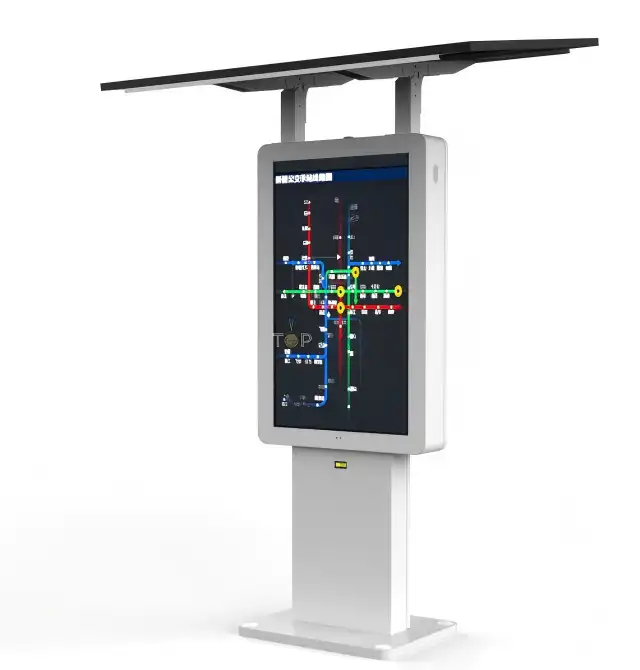 VIEW MORESolar Powered Outdoor Digital Signage
 VIEW MOREFree Design Good Quality Solar Bus Shelter
 VIEW MORETransparent OLED Touch Screen
 VIEW MORESingle Sided High Brightness Windows Facing Displays
 VIEW MOREHight Brightness Double-sided Windows Facing Kiosk
 VIEW MORERound Circular LCD Display
 VIEW MORESolar Panel Waterproof Digital Poster Foldable Portable LCD Advertising Screen
 VIEW MOREUlta Slim Wall-Mounted Outdoor Displays