



Can Solar-Powered Digital Signage Support Remote Content Management?
Yes, solar-powered digital signage can support remote content management. A solar panel outdoor digital signage system works well when four parts are in place: a content management system (CMS), a network connection, enough solar generation, and adequate battery storage. The solar array charges the battery, and the battery runs the display, media player, and control board. Authorized staff then update playlists from a central office. Remote control does not remove the planning work. Buyers still need to check sun exposure, network coverage, climate, maintenance access, cybersecurity, and total cost of ownership. They should judge the complete solution, not the display hardware alone.
How Remote Content Management Works on Solar Signs
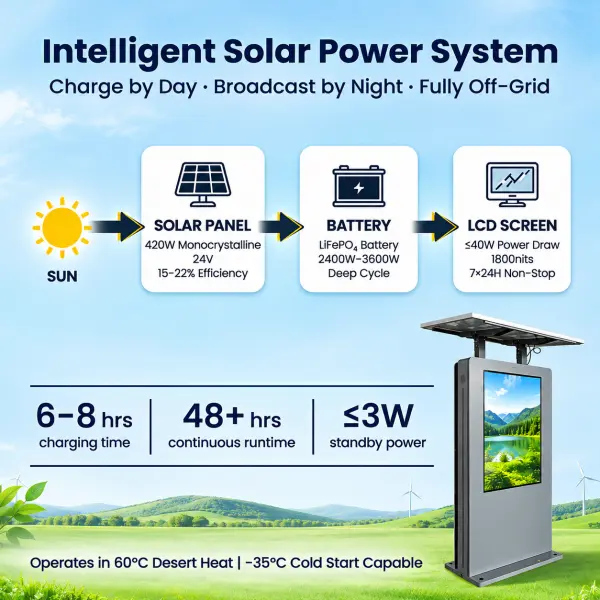
How an Off-Grid Solar Digital Signage System Works
A charge driver, a deep-cycle battery, an outdoor display, a media player, and a CMS are all linked in an off-grid solar panel outdoor digital signage. Sunlight charges the cell during the day. That's why the buttons and screen work at night or when it's dark. The media player stores content locally, so it can still play content that is safe to play even if the network goes down. The player syncs with the server again as soon as the connection is back up. This is how our T-series signs make sense. They don't need any wires or power lines because their power comes from the sun. That plan doesn't show any ditches or power lines. It can take a long time and cost a lot of money to put them in car parks, parks, and along the side of the road.
Solar Power Requirements That Shape Remote Management
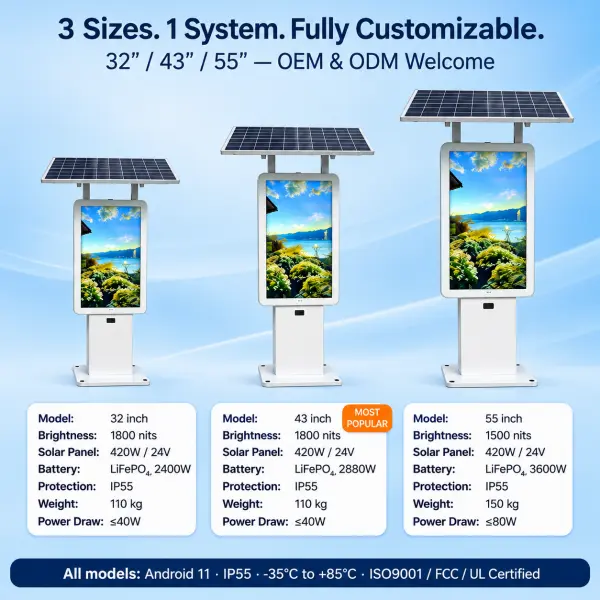
First, we check how much power the screen uses at its brightest and on average. We also look at how long it's on every day, how long it stays on, and how much power the media player and any network devices are using. Then we match solar panel size and battery capacity to local sunlight, seasonal weather, and system losses. You can't use the kit in all towns. The Wi-Fi solar digital signage needs a battery that can work for a few days even when there isn't much light. Lowering the lights on a set plan automatically uses less power, which means that panels and batteries can be smaller. The probe in our models changes how bright it is based on how much light hits it. This saves power and keeps the screen from getting old.
How Dependable Remote Updates Are in Remote Locations
How reliable a site is depends on the link it picks. Cell phone service works well in rural areas. Wi-Fi or Ethernet works well in places where there is enough infrastructure nearby. Satellite service, which costs more, works well for places that are very far away. No matter what the link is, the sign should still play anything that is stored if the internet goes down. Also, stay safe. It is hard for someone to change a screen because of logs, two-factor authentication, encrypted files, and role-based rights. The ISO/IEC 27001 standard talks about how to handle information safely, and the NIST Special Publication 800-82 talks about how to use technology safely. Our players use software to keep track of servers and a built-in system for sharing information. Make sure you know how to connect with our engineers before you go live.
Topview T32SO, T43SO, T49SO, and T55SO Solar Panel Outdoor Digital Signage
Bright, Heat-Tolerant Display and Glass
It has a 1500 or 2000 nits high-brightness LED-backlit LCD screen, so you can read it even when it's bright outside. It's 1920 x 1080 in size. It can work in temperatures ranging from -30°C to 110°C, so it can start up quickly and show clear pictures even when it's cold outside. The front glass is made in the US and is only 6 to 10 mm thick. It can't be damaged by UV or infrared light. One type of glass that can't be broken is 6 mm fused glass on both sides with an AR coating that blocks light. More than 97% of the light that comes through goes right through. It also blocks 99.99% of UV light and 52% of the sun's heat. Pictures need to be clear so that people can read updates from far away.
Power, Cabinet, Cooling, and Control Features
Here are the core build features that keep a solar-powered unit running outdoors.
- Solar battery: To keep itself safe, the solar battery doesn't charge or discharge too quickly. It works well for long cycles. Because of the gel solution and process design, it lasts a long time. No matter how hot it is or how high you are, it can still work. That's why the TV and player outside will still work at night or when it's dark.
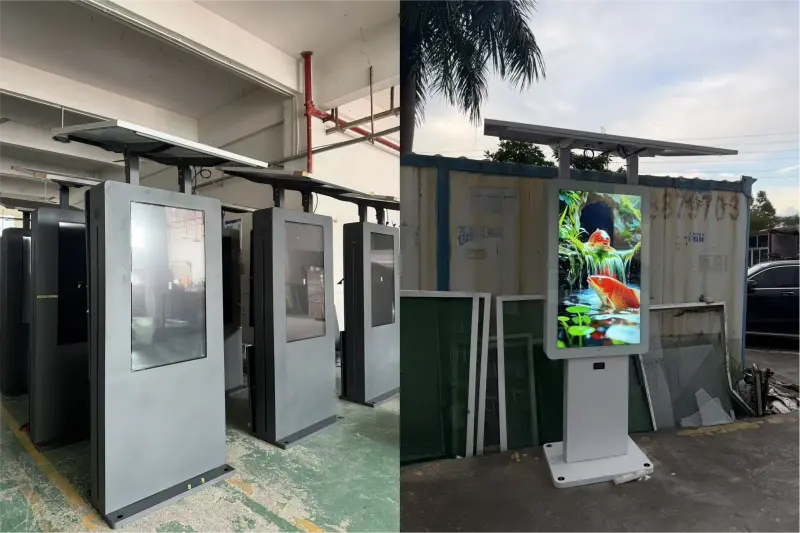
- Waterproof cabinet: The outdoor powder coating that is put on the 1.5 mm galvanized steel that the waterproof cabinet is made of can be any color you want. It's been around for more than seven years. It's made of metal, so it can handle heat and rain. It also keeps dust and water out. This protects the circuits and player board during storms and long dry times.
- Cooling and control: It stays cool inside between 5 and 25 degrees because it has a smart cooling system that works in temperatures from -20 to 45 degrees. So, the LCD won't get damaged by direct sunlight. A really good filter keeps the air path safe. You can make plans and have the power turn on and off every day by setting a timer.
These features address the heat, weather, and power problems that often cause Wi-Fi solar digital signage failures.
Play System, Customization, and Commercial Terms
The play system can play pictures, videos, and text. It can also play files that aren't online. You can use it right away, and it comes with computer software. You can add an industrial control computer and a dynamic multi-touch screen if you want to. It comes with a network player board that can work on its own. Our factory in Shenzhen has been making LCD screens for ads for thirteen years. We can do both OEM and ODM work. You can pick a color, add a logo that shows up when the power is turned on, use names that are printed on silk or lit up by LEDs, and change the software. You can make changes without a minimum order quantity (MOQ). The FCC, RoHS, and CE don't bother them. You can pay with either T/T or EXW. Each shipment is kept safe in a strong wooden case. Anywhere from one to three years is possible, but most people only get one. It could be 5 to 15 business days.
Planning, Installing, and Buying Solar Signage
Solar Signs Compared With Other Outdoor Options
Solar signs are useful in spots where it's tough to dig, pay the electric bill, or connect to the power grid. With a solar-plus-battery unit, you can go longer between visits than with a battery-only unit. Still, screens that are driven by the grid are a good idea for big, bright signs that are on all the time. There are times when mixed systems with grid backup work better, though. Solar panel outdoor digital signage is often used for advertising networks, transit information, construction, and temporary event displays. To get the best deal, we don't just look at price. To find the total cost of ownership, we look at things like the size of the screen, how bright it is, how long it can be used, how easy it is to clean, and how long it will last.
Installation and Maintenance Requirements
The first thing that needs to be done is to make a good site. When groups build something, they need to think about the base, the view, the cell signal, the wind loads, the direction of the sun, and any permits that are needed in their area. Putting them on the ground, a pole, a wall, or a box changes how stable they are and how much power they make. It should be possible for the box to keep out dust and water. The IP Code in IEC 60529 gives these scores. Before you buy something, make sure you ask the seller what the proven rating is. The battery needs to be checked, the software needs to be updated, the ports need to be looked at, and the panel needs to be cleaned. NREL's operation and upkeep rules list regular tasks that need to be done with solar panels, such as checking and cleaning them. When you test from far away, you don't have to go to the site as often. This is because issues like low battery or burns can be found early on.
How to Choose a Supplier and Avoid Common Risks
What do you want to use it for first? When choosing a screen, you should think about its size, viewing distance, light, number of sites, working hours, and service life. Next, ask each provider how much power they use, how much solar power your site will need, how long the batteries will last, and any CMS information, like how to set up schedules, play music when the power goes out, and make emergency overrides. A lot of people make mistakes, like ignoring winter weather, not thinking about how much energy is used overall, picking a CMS that doesn't let you play videos offline, and basing their decision only on the price of the hardware. You should also check out the warranty terms, paperwork, and spare parts. Topview have three production lines, two engineers who work after the sale, more than 20 senior engineers and assembly helpers, and a workshop that is 2,000 square meters in size. Every day, up to 100 are made. Our experts are also here to help you for free during and after the warranty period.
Conclusion
Solar panel outdoor digital signage allows you to change the content remotely as long as the CMS, network link, solar array, battery, enclosure, and monitoring all work as expected. Once you save something, you can still play it when the power goes out. When making a budget for your power, you should think about how much light you use, how long you work, and the weather where you live. Cell phones, Wi-Fi, Ethernet, and satellite lines all work best in some places. To keep outside units safe, there are bright screens, strong glass, cooling, and cabinets that are turned off. Also, there is less risk if the seller sets it up, keeps it up, and checks it. Signs, booths, travel information, and temporary displays that help people find their way can all be turned off. But screens that are very big and are used all the time might need more than one kind of power. In real life, this means you should check out the whole system, not just the screen.
FAQ
1. Can a solar sign keep playing if the internet fails?
Yes. The media player stores content that is safe on your computer, so if the internet goes down, the music will still play. The player will sync with the server once the link is back up. You can also play files that aren't online on our video player.
2. How bright are the T32SO, T43SO, T49SO, and T55SO screens?
The LEDs light up the LCD, which can show up to 1920x1080 images and has a brightness of either 1,500 or 2,000 nits. Smart triggers change how bright they are when there is light nearby. This helps the environment.
3. What are the lead time and warranty?
It takes between five and fifteen days to make things. The warranty can last up to three years instead of just one if you want it to. After the guarantee is over, people can still get free help.
4. Which price and payment terms apply?
The prices we give you are either EXW, FOB, or DDP. You can pay with T/T.
Request a Solar Panel Outdoor Digital Signage Recommendation from Topview
Topview can look at your site, screen size, business hours, and network needs. If you want to buy in bulk, as an OEM or ODM, we can give you a power estimate, quote, lead time, and guarantee. Our company is a solar panel outdoor digital signage business in Shenzhen. You can email market@tviewdisplay.com to talk about your project. Feel free to ask our engineers for help if you need it when setting up or handling content remotely.
References
1. National Renewable Energy Laboratory, Best Practices for Operation and Maintenance of Photovoltaic and Energy Storage Systems, 2018
2. International Electrotechnical Commission, IEC 60529: Degrees of Protection Provided by Enclosures (IP Code), 2013
3. National Institute of Standards and Technology, NIST Special Publication 800-82 Revision 3: Guide to Operational Technology (OT) Security, 2023
4. International Organization for Standardization, ISO/IEC 27001: Information Security Management Systems, 2022
5. Luque, A. and Hegedus, S., Handbook of Photovoltaic Science and Engineering, 2011
6. International Electrotechnical Commission, IEC 62262: Degrees of Protection Provided by Enclosures for Electrical Equipment Against External Mechanical Impacts (IK Code), 2002
YOU MAY LIKE
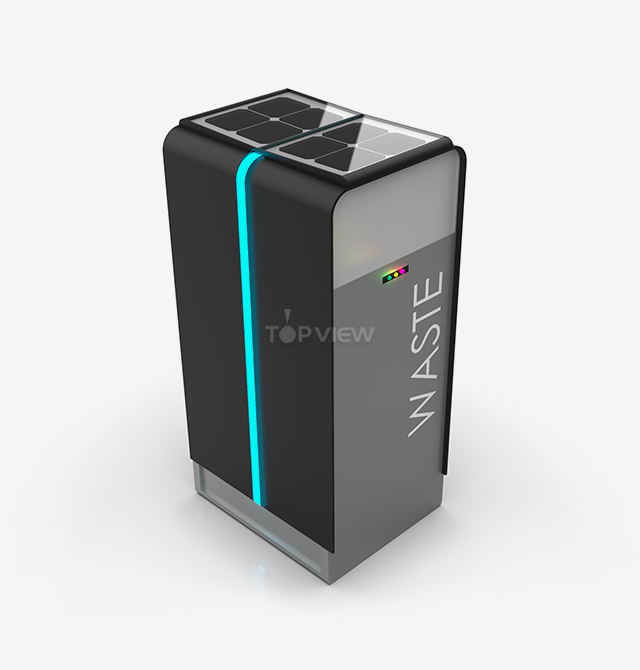 VIEW MORE100L compressible smart trash bin
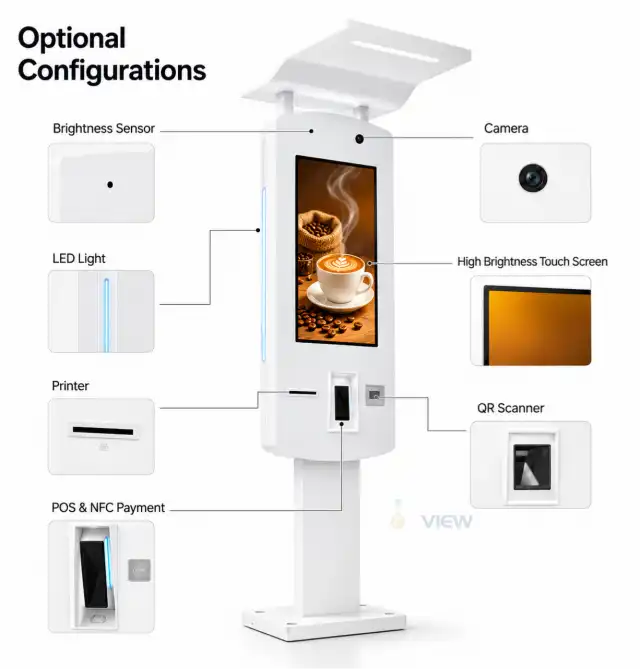 VIEW MORE32" Outdoor Self-service ordering kiosk
 VIEW MOREIntelligent IOT System Bright LED Light Pole
 VIEW MORESmart Solar Furniture Bench
 VIEW MOREPluggable OPS PC
 VIEW MOREUltra Slim Digital Signage Screen
 VIEW MOREUltra Slim Double-sided Floorstand Kiosk
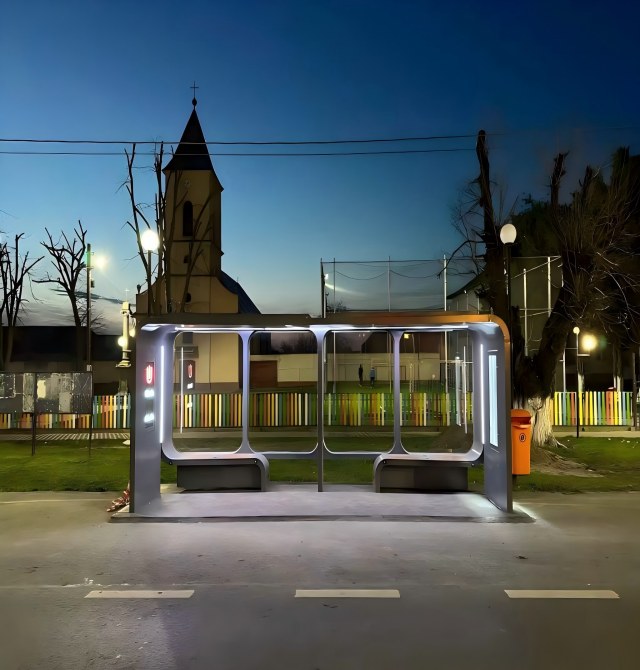 VIEW MOREOutdoor Durable Prefabricated Smart Public Bus Stop Shelter